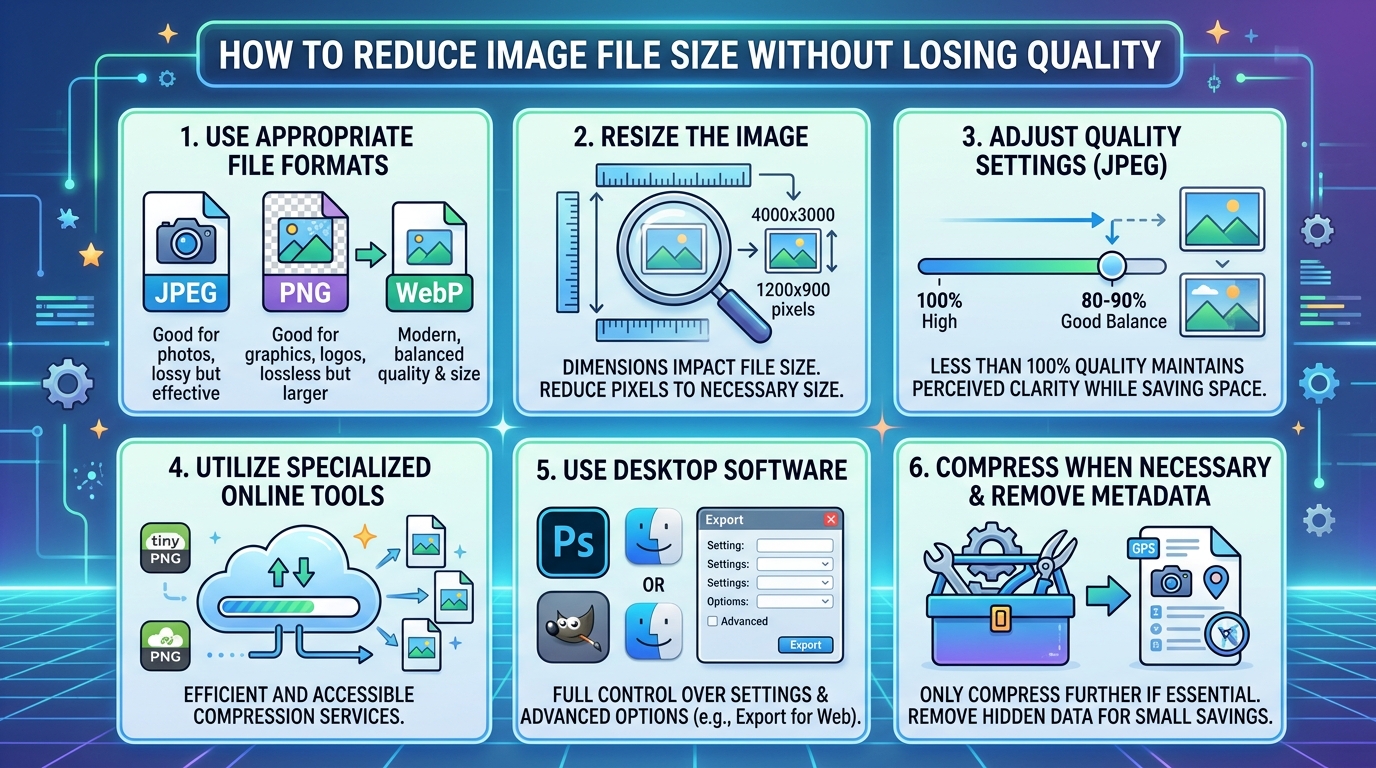
How to Reduce Image File Size Without Losing Quality
Simple tips that actually work for websites, email and social media
Large image files are one of the biggest reasons websites load slowly.They also take up unnecessary storage space on your phone and make it harder to share images on WhatsApp or email. The good news is reducing image file size is easier than you think and you can do it without making your images look bad.
Why Does Image File Size Matter?
When an image is too large, it takes longer to load on a website.Research shows that most people leave a website if it takes more than 3 seconds to load. For website owners, large images can also hurt your Google ranking because page speed is a ranking factor. For everyday users, large images fill up your phone storage faster and use more mobile data when shared.
📊 Did you know? A typical smartphone photo can be 4–8 MB in size. By simply converting it to WEBP format, you can reduce it to under 1 MB with almost no visible difference in quality.
5 Easy Ways to Reduce Image File Size
1. Convert to WEBP Format
WEBP is the most effective way to reduce image size. It produces files 25 to 35 percent smaller than JPEG and PNG while keeping the same visual quality. Simply convert your image to WEBP on Turbix.online and you are done.
2. Resize Your Image
If your image is 4000 x 3000 pixels but you only need it at 800 x 600 pixels for your website, resize it. A smaller resolution means a much smaller file size. Most photo editing apps on your phone let you do this easily.
3. Use JPEG Instead of PNG for Photos
PNG files are much larger than JPEG files for photographs.If your image is a regular photo without a transparent background, save it as JPEG instead of PNG. This alone can reduce file size by 50 to 70 percent.
4. Lower the Quality Setting
When saving a JPEG image, most tools let you set a quality percentage. Saving at 80 percent quality instead of 100 percent can cut the file size in half with barely any visible difference to the human eye.
5. Remove Unnecessary Metadata
Photos taken on smartphones contain hidden data like GPS location, camera settings and date. Removing this metadata can slightly reduce file size and also protects your privacy when sharing images online.
The Quickest Solution
The fastest and easiest way to reduce image size for free is to convert it to WEBP format using Turbix.online. Just upload your image, select WEBP as the output format and download your smaller file. It takes less than 10 seconds and requires no software installation.
Reduce Your Image Size for Free!
Convert to WEBP and cut your file size by up to 35% instantly.
Convert Now →